Expert Guide to Building Resilient AI Systems Across Multiple Regions
I’ve designed disaster recovery strategies for AI systems that handle millions of requests per day. When a region goes down, your AI application shouldn’t. Multi-region deployment isn’t just about redundancy—it’s about maintaining service availability, data consistency, and user experience during failures.
In this guide, I’ll share the disaster recovery patterns I’ve used to build resilient AI systems. You’ll learn multi-region deployment strategies, data replication patterns, failover mechanisms, and how to design for 99.99% uptime.
What You’ll Learn
- Multi-region architecture patterns
- Data replication strategies
- Failover mechanisms and automation
- RTO and RPO planning
- Backup and restore strategies
- Cross-region load balancing
- Database replication patterns
- Real-world examples from production systems
- Common disaster recovery pitfalls and how to avoid them
Introduction: Why Disaster Recovery for AI Systems?
AI systems are critical infrastructure. When they go down, businesses lose revenue, users lose access, and data can be lost. Disaster recovery isn’t optional—it’s essential. Multi-region deployment provides:
- High availability: 99.99% uptime across regions
- Data protection: Replicated data prevents loss
- Automatic failover: Seamless transition during failures
- Low latency: Deploy closer to users globally
- Compliance: Meet regulatory requirements for data residency
I’ve seen AI systems lose millions in revenue during outages. With proper disaster recovery, the same systems maintain service availability, even when entire regions fail.
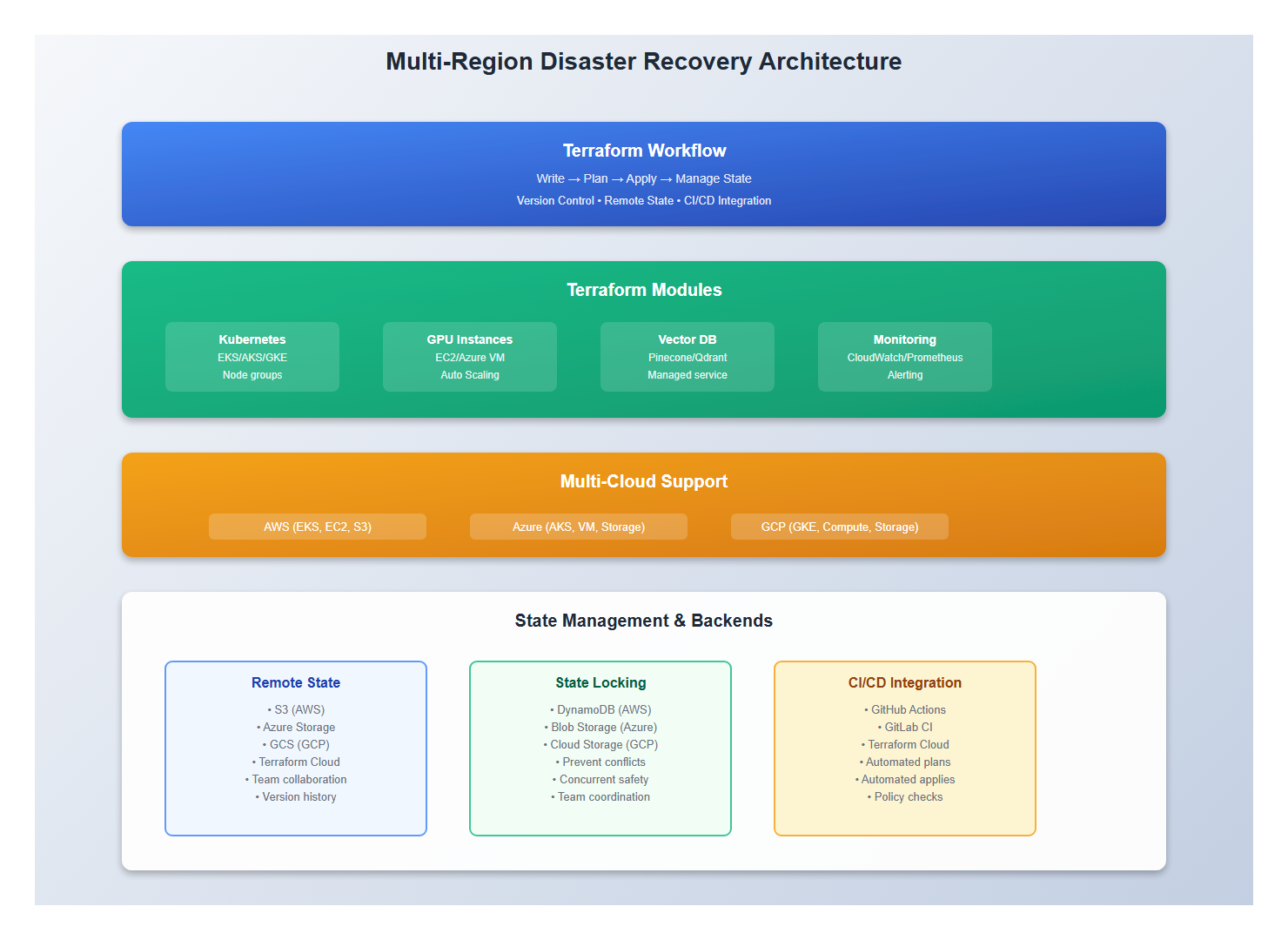
1. Multi-Region Architecture
1.1 Active-Active Deployment
Deploy active instances in multiple regions:
# Multi-Region Architecture
regions:
  primary:
    region: us-east-1
    status: active
    traffic: 50%
    resources:
      - llm-service (3 replicas)
      - vector-db (primary)
      - cache (active)

  secondary:
    region: eu-west-1
    status: active
    traffic: 50%
    resources:
      - llm-service (3 replicas)
      - vector-db (replica)
      - cache (active)

  tertiary:
    region: ap-southeast-1
    status: standby
    traffic: 0%
    resources:
      - llm-service (1 replica)
      - vector-db (replica)
      - cache (standby)

# Benefits:
# - Load distribution
# - Automatic failover
# - Low latency globally
# - Data redundancy
1.2 Active-Passive Deployment
Deploy primary and standby regions:
# Active-Passive Architecture
regions:
  primary:
    region: us-east-1
    status: active
    traffic: 100%
    resources:
      - llm-service (5 replicas)
      - vector-db (primary)
      - cache (active)
      - message-queue (active)

  secondary:
    region: eu-west-1
    status: standby
    traffic: 0%
    resources:
      - llm-service (2 replicas)  # Minimal for quick failover
      - vector-db (replica)
      - cache (standby)
      - message-queue (standby)

# Failover Process:
# 1. Health check detects primary failure
# 2. DNS/load balancer switches to secondary
# 3. Secondary scales up resources
# 4. Data sync ensures consistency
# 5. Traffic routes to secondary

# Benefits:
# - Lower cost (standby minimal)
# - Simple architecture
# - Controlled failover
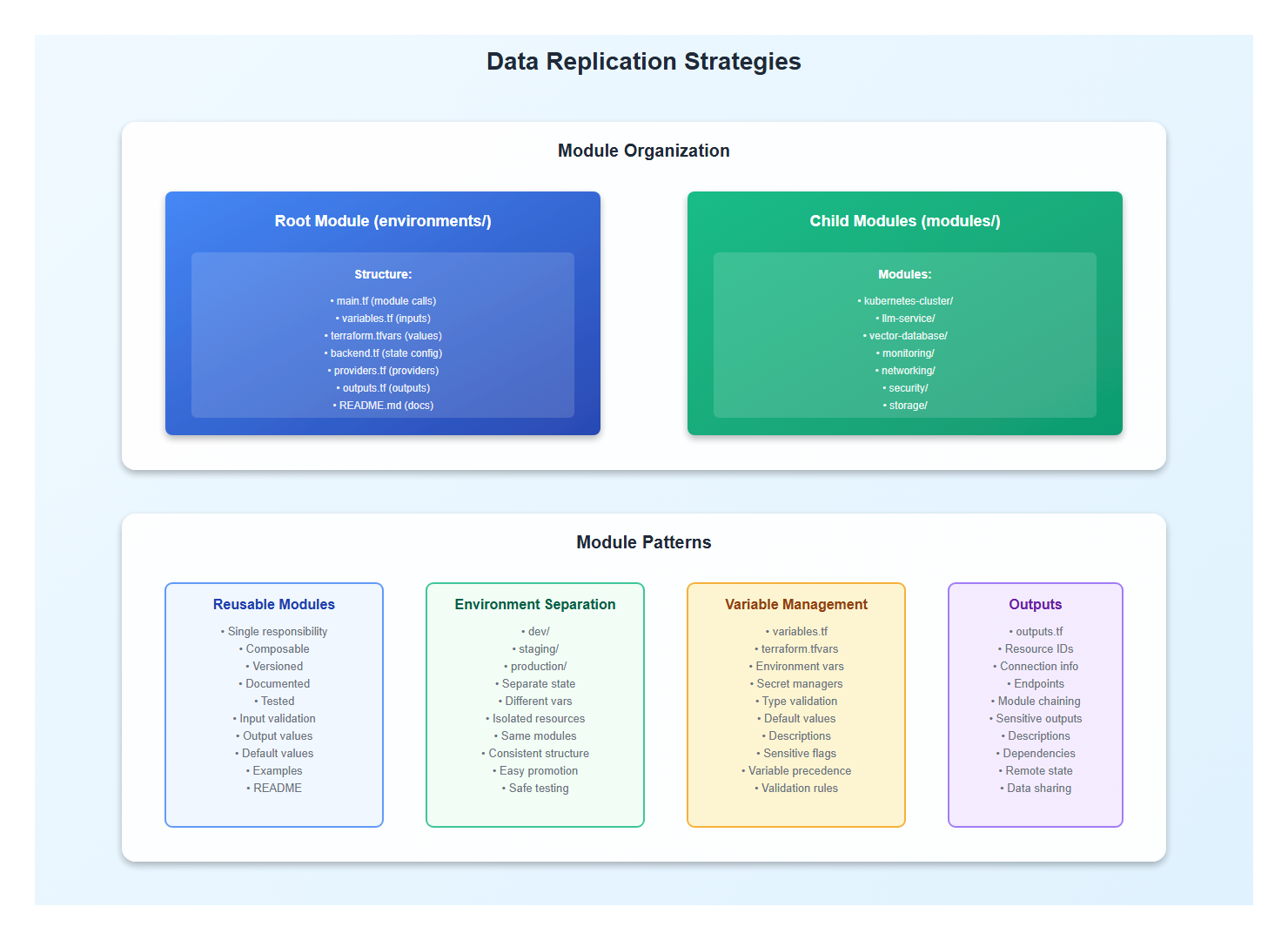
2. Data Replication Strategies
2.1 Synchronous Replication
Replicate data synchronously for strong consistency:
# modules/kubernetes-cluster/main.tf
terraform {
  required_providers {
    aws = {
      source  = "hashicorp/aws"
      version = "~> 5.0"
    }
  }
}

# EKS Cluster
resource "aws_eks_cluster" "ai_cluster" {
  name     = var.cluster_name
  role_arn = aws_iam_role.cluster.arn
  version  = "1.28"

  vpc_config {
    subnet_ids              = var.subnet_ids
    endpoint_private_access = true
    endpoint_public_access  = true
  }

  enabled_cluster_log_types = ["api", "audit", "authenticator"]

  tags = var.tags
}

# Node Group with GPU Support
resource "aws_eks_node_group" "gpu_nodes" {
  cluster_name    = aws_eks_cluster.ai_cluster.name
  node_group_name = "gpu-nodes"
  node_role_arn   = aws_iam_role.node_group.arn
  subnet_ids      = var.subnet_ids

  instance_types = [var.node_type]  # g4dn.xlarge, p3.2xlarge, etc.

  scaling_config {
    desired_size = var.node_count
    max_size     = var.max_nodes
    min_size     = var.min_nodes
  }

  update_config {
    max_unavailable = 1
  }

  labels = {
    accelerator = "gpu"
  }

  taints {
    key    = "nvidia.com/gpu"
    value  = "true"
    effect = "NO_SCHEDULE"
  }
}
2.2 AKS Cluster Deployment
Deploy an AKS cluster for Azure:
# AKS Cluster
resource "azurerm_kubernetes_cluster" "ai_cluster" {
  name                = var.cluster_name
  location            = var.location
  resource_group_name = var.resource_group_name
  dns_prefix          = var.cluster_name

  default_node_pool {
    name                = "default"
    node_count          = var.node_count
    vm_size             = var.node_type  # Standard_NC6s_v3 for GPU
    enable_auto_scaling = true
    min_count           = var.min_nodes
    max_count           = var.max_nodes
  }

  identity {
    type = "SystemAssigned"
  }

  tags = var.tags
}

# GPU Node Pool
resource "azurerm_kubernetes_cluster_node_pool" "gpu_pool" {
  name                  = "gpunodepool"
  kubernetes_cluster_id = azurerm_kubernetes_cluster.ai_cluster.id
  vm_size               = "Standard_NC6s_v3"  # NVIDIA GPU
  node_count            = var.gpu_node_count

  node_taints = ["nvidia.com/gpu=true:NoSchedule"]

  tags = var.tags
}
3. Failover Mechanisms
3.1 Automatic Failover
Implement automatic failover with health checks:
# EC2 GPU Instances
resource "aws_instance" "gpu_inference" {
  count         = var.gpu_instance_count
  ami           = data.aws_ami.gpu_ami.id
  instance_type = var.gpu_instance_type  # g4dn.xlarge, p3.2xlarge, etc.

  vpc_security_group_ids = [aws_security_group.gpu.id]
  subnet_id              = var.subnet_ids[count.index % length(var.subnet_ids)]

  iam_instance_profile = aws_iam_instance_profile.gpu.name

  root_block_device {
    volume_type = "gp3"
    volume_size = 100
    encrypted   = true
  }

  tags = merge(var.tags, {
    Name        = "${var.cluster_name}-gpu-${count.index}"
    Accelerator = "gpu"
  })
}

# Launch Template for Auto Scaling
resource "aws_launch_template" "gpu_template" {
  name_prefix   = "${var.cluster_name}-gpu-"
  image_id      = data.aws_ami.gpu_ami.id
  instance_type = var.gpu_instance_type

  vpc_security_group_ids = [aws_security_group.gpu.id]

  block_device_mappings {
    device_name = "/dev/sda1"
    ebs {
      volume_type = "gp3"
      volume_size = 100
      encrypted   = true
    }
  }

  iam_instance_profile {
    name = aws_iam_instance_profile.gpu.name
  }

  tag_specifications {
    resource_type = "instance"
    tags = merge(var.tags, {
      Accelerator = "gpu"
    })
  }
}

# Auto Scaling Group
resource "aws_autoscaling_group" "gpu_asg" {
  name                = "${var.cluster_name}-gpu-asg"
  vpc_zone_identifier = var.subnet_ids
  target_group_arns   = [aws_lb_target_group.gpu.arn]
  health_check_type   = "ELB"

  min_size         = var.min_gpu_instances
  max_size         = var.max_gpu_instances
  desired_capacity = var.desired_gpu_instances

  launch_template {
    id      = aws_launch_template.gpu_template.id
    version = "$Latest"
  }

  tag {
    key                 = "Name"
    value               = "${var.cluster_name}-gpu"
    propagate_at_launch = true
  }
}
3.2 Azure GPU Instances
Provision GPU instances in Azure:
# Azure GPU VM
resource "azurerm_linux_virtual_machine" "gpu_vm" {
  count               = var.gpu_vm_count
  name                = "${var.cluster_name}-gpu-${count.index}"
  resource_group_name = var.resource_group_name
  location            = var.location
  size                = var.gpu_vm_size  # Standard_NC6s_v3, etc.

  admin_username = var.admin_username
  admin_ssh_key {
    username   = var.admin_username
    public_key = var.ssh_public_key
  }

  network_interface_ids = [azurerm_network_interface.gpu[count.index].id]

  os_disk {
    caching              = "ReadWrite"
    storage_account_type = "Premium_LRS"
  }

  source_image_reference {
    publisher = "Canonical"
    offer     = "0001-com-ubuntu-server-focal"
    sku       = "20_04-lts-gen2"
    version   = "latest"
  }

  tags = merge(var.tags, {
    Accelerator = "gpu"
  })
}

# Virtual Machine Scale Set for Auto Scaling
resource "azurerm_linux_virtual_machine_scale_set" "gpu_vmss" {
  name                = "${var.cluster_name}-gpu-vmss"
  resource_group_name = var.resource_group_name
  location            = var.location
  sku                 = var.gpu_vm_size
  instances           = var.gpu_instance_count

  admin_username = var.admin_username
  admin_ssh_key {
    username   = var.admin_username
    public_key = var.ssh_public_key
  }

  source_image_reference {
    publisher = "Canonical"
    offer     = "0001-com-ubuntu-server-focal"
    sku       = "20_04-lts-gen2"
    version   = "latest"
  }

  network_interface {
    name    = "gpu-nic"
    primary = true

    ip_configuration {
      name      = "internal"
      primary   = true
      subnet_id = var.subnet_id
    }
  }

  automatic_os_upgrade_policy {
    disable_automatic_rollback = false
    enable_automatic_os_upgrade = true
  }

  tags = var.tags
}
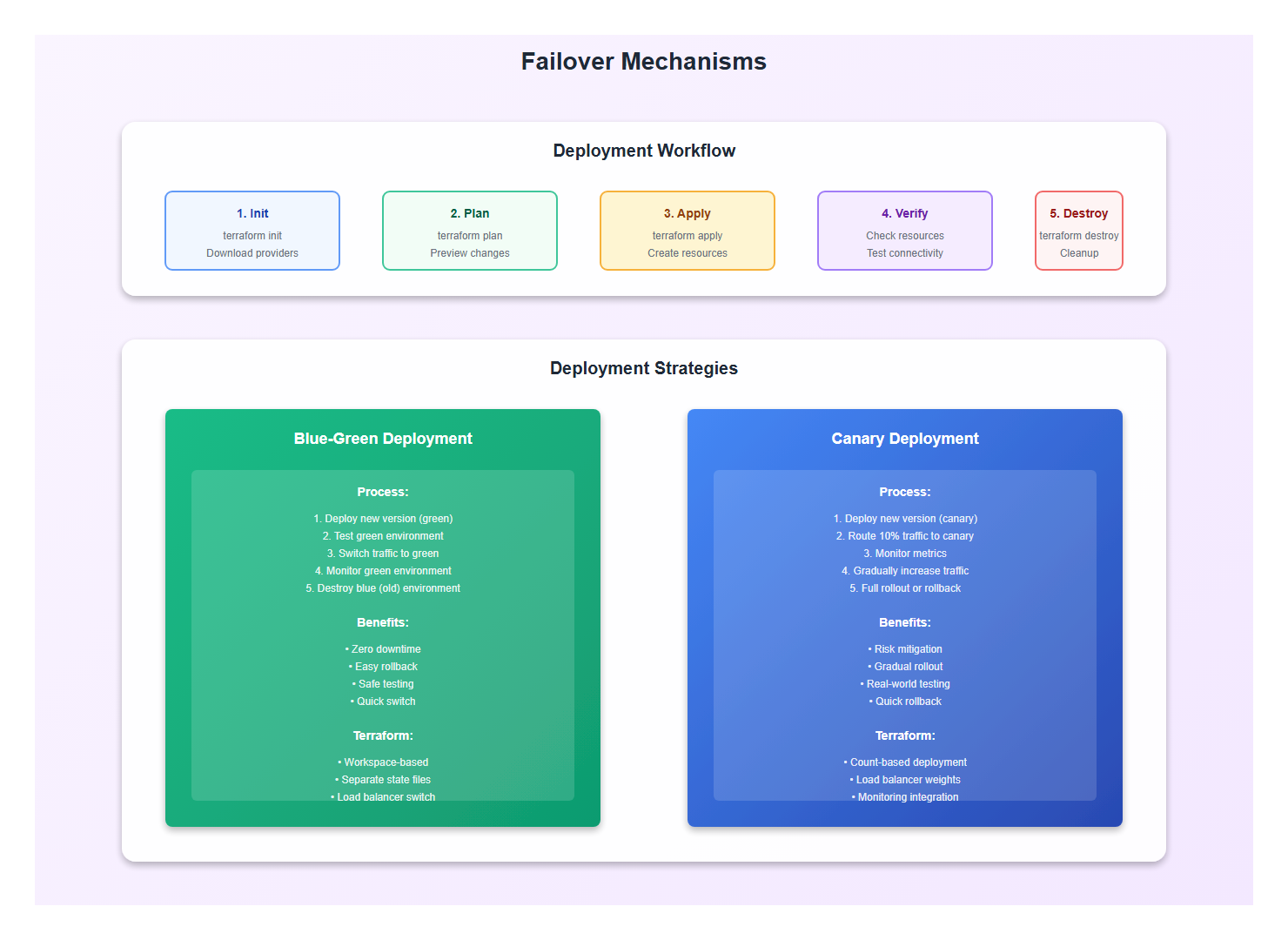
4. State Management and Remote Backends
4.1 Remote State Configuration
Use remote backends for state management:
# backend.tf - Remote State Backend
terraform {
  backend "s3" {
    bucket         = "ai-infrastructure-terraform-state"
    key            = "production/terraform.tfstate"
    region         = "us-east-1"
    encrypt        = true
    dynamodb_table = "terraform-state-lock"
  }
}

# Alternative: Azure Backend
terraform {
  backend "azurerm" {
    resource_group_name  = "terraform-state"
    storage_account_name = "tfstate"
    container_name       = "tfstate"
    key                  = "production.terraform.tfstate"
  }
}

# Alternative: GCS Backend
terraform {
  backend "gcs" {
    bucket = "ai-infrastructure-terraform-state"
    prefix = "production"
  }
}
4.2 State Locking
Prevent concurrent modifications with state locking:
# DynamoDB Table for State Locking (AWS)
resource "aws_dynamodb_table" "terraform_state_lock" {
  name           = "terraform-state-lock"
  billing_mode   = "PAY_PER_REQUEST"
  hash_key       = "LockID"

  attribute {
    name = "LockID"
    type = "S"
  }

  tags = {
    Name = "Terraform State Lock"
  }
}

# State Locking Configuration
terraform {
  backend "s3" {
    # ... other config ...
    dynamodb_table = "terraform-state-lock"
  }
}
5. Variable Management and Secrets
5.1 Variable Files
Organize variables by environment:
# variables.tf
variable "cluster_name" {
  description = "Name of the Kubernetes cluster"
  type        = string
}

variable "node_count" {
  description = "Number of nodes in the cluster"
  type        = number
  default     = 3
}

variable "gpu_instance_type" {
  description = "GPU instance type"
  type        = string
  default     = "g4dn.xlarge"
}

variable "tags" {
  description = "Tags to apply to resources"
  type        = map(string)
  default     = {}
}

# terraform.tfvars (production)
cluster_name      = "ai-production-cluster"
node_count        = 5
gpu_instance_type = "p3.2xlarge"
tags = {
  Environment = "production"
  Application = "ai-llm"
  ManagedBy   = "terraform"
}
5.2 Secrets Management
Handle secrets securely with Terraform:
# Using AWS Secrets Manager
data "aws_secretsmanager_secret" "api_key" {
  name = "ai-api-key"
}

data "aws_secretsmanager_secret_version" "api_key" {
  secret_id = data.aws_secretsmanager_secret.api_key.id
}

# Using Azure Key Vault
data "azurerm_key_vault_secret" "api_key" {
  name         = "ai-api-key"
  key_vault_id = azurerm_key_vault.main.id
}

# Using environment variables (sensitive)
variable "api_key" {
  description = "API key for LLM service"
  type        = string
  sensitive   = true
}

# Pass to resources
resource "kubernetes_secret" "api_key" {
  metadata {
    name = "api-key"
  }

  data = {
    api-key = var.api_key
  }
}
6. Multi-Cloud Deployment
6.1 Provider Configuration
Configure multiple cloud providers:
# providers.tf
terraform {
  required_version = ">= 1.5.0"

  required_providers {
    aws = {
      source  = "hashicorp/aws"
      version = "~> 5.0"
    }
    azurerm = {
      source  = "hashicorp/azurerm"
      version = "~> 3.0"
    }
    google = {
      source  = "hashicorp/google"
      version = "~> 4.0"
    }
    kubernetes = {
      source  = "hashicorp/kubernetes"
      version = "~> 2.20"
    }
  }
}

# AWS Provider
provider "aws" {
  region = var.aws_region

  default_tags {
    tags = var.tags
  }
}

# Azure Provider
provider "azurerm" {
  features {}
}

# GCP Provider
provider "google" {
  project = var.gcp_project_id
  region  = var.gcp_region
}
6.2 Cross-Cloud Resources
Deploy resources across multiple clouds:
# AWS Resources
module "aws_infrastructure" {
  source = "./modules/aws"

  cluster_name = var.cluster_name
  region       = var.aws_region
}

# Azure Resources
module "azure_infrastructure" {
  source = "./modules/azure"

  cluster_name      = var.cluster_name
  resource_group_name = var.azure_resource_group
  location          = var.azure_location
}

# GCP Resources
module "gcp_infrastructure" {
  source = "./modules/gcp"

  cluster_name = var.cluster_name
  project_id   = var.gcp_project_id
  region       = var.gcp_region
}
7. CI/CD Integration
7.1 GitHub Actions Workflow
Automate Terraform deployments with CI/CD:
# .github/workflows/terraform.yml
name: Terraform Deploy

on:
  push:
    branches: [main]
  pull_request:
    branches: [main]

jobs:
  terraform:
    runs-on: ubuntu-latest
    steps:
    - uses: actions/checkout@v3

    - name: Setup Terraform
      uses: hashicorp/setup-terraform@v2
      with:
        terraform_version: 1.5.0

    - name: Terraform Init
      run: terraform init
      working-directory: ./environments/production

    - name: Terraform Validate
      run: terraform validate
      working-directory: ./environments/production

    - name: Terraform Plan
      run: terraform plan -out=tfplan
      working-directory: ./environments/production
      env:
        AWS_ACCESS_KEY_ID: ${{ secrets.AWS_ACCESS_KEY_ID }}
        AWS_SECRET_ACCESS_KEY: ${{ secrets.AWS_SECRET_ACCESS_KEY }}

    - name: Terraform Apply
      if: github.ref == 'refs/heads/main'
      run: terraform apply -auto-approve tfplan
      working-directory: ./environments/production
7.2 Terraform Cloud Integration
Use Terraform Cloud for managed runs:
# terraform.tf - Terraform Cloud Backend
terraform {
  cloud {
    organization = "your-org"

    workspaces {
      name = "ai-infrastructure-production"
    }
  }
}

# Workspace Configuration
# - Auto-apply on merge to main
# - Manual apply for other branches
# - Cost estimation enabled
# - Policy checks (Sentinel)
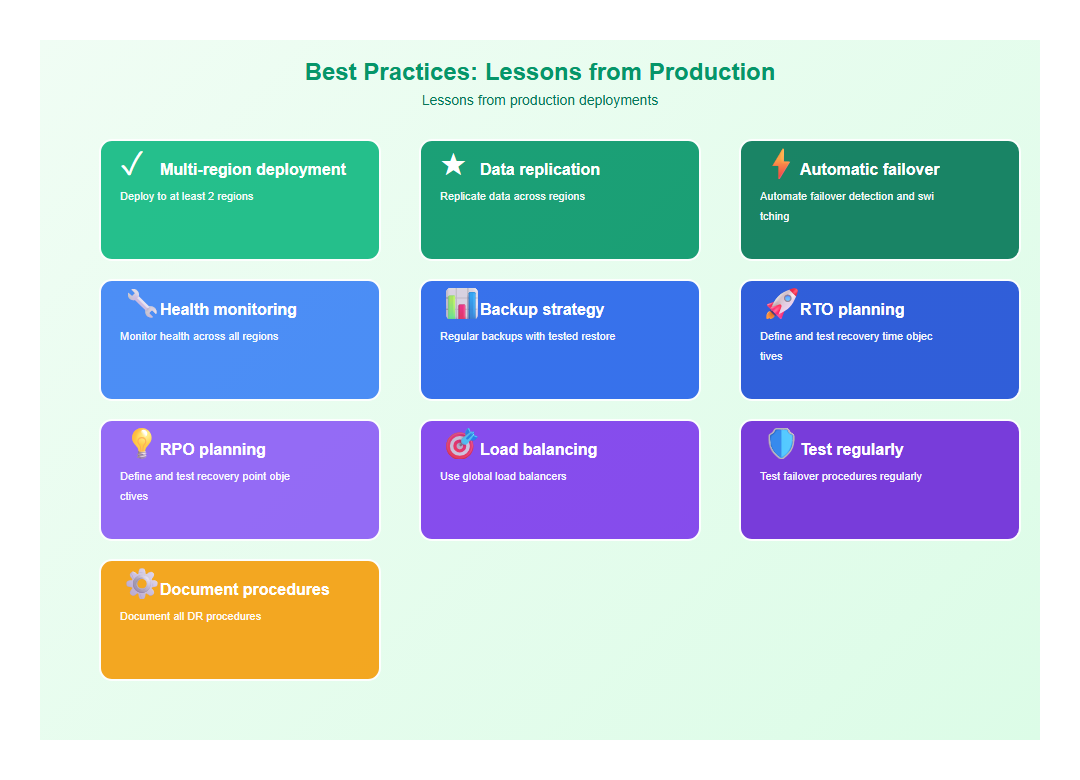
8. Best Practices: Lessons from Production
After architecting multiple cloud-native AI systems, here are the practices I follow:
- Multi-region deployment: Deploy to at least 2 regions
- Data replication: Replicate data across regions
- Automatic failover: Automate failover detection and switching
- Health monitoring: Monitor health across all regions
- Backup strategy: Regular backups with tested restore
- RTO planning: Define and test recovery time objectives
- RPO planning: Define and test recovery point objectives
- Load balancing: Use global load balancers
- Test regularly: Test failover procedures regularly
- Document procedures: Document all DR procedures
9. Common Mistakes to Avoid
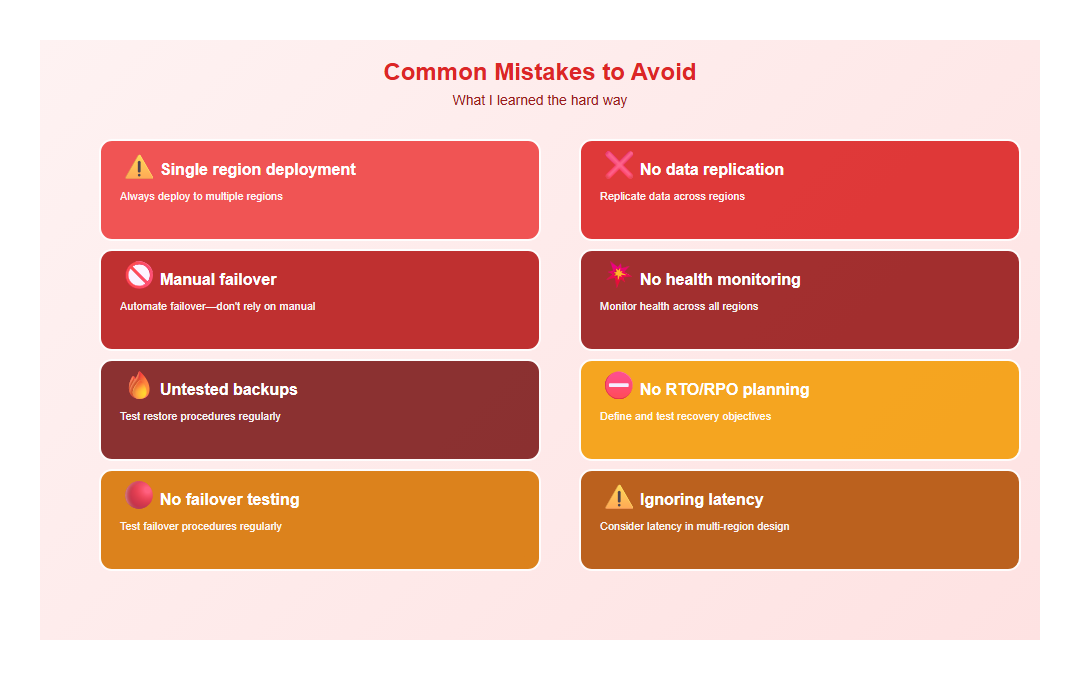
I’ve made these mistakes so you don’t have to:
- Single region deployment: Always deploy to multiple regions
- No data replication: Replicate data across regions
- Manual failover: Automate failover—don’t rely on manual
- No health monitoring: Monitor health across all regions
- Untested backups: Test restore procedures regularly
- No RTO/RPO planning: Define and test recovery objectives
- No failover testing: Test failover procedures regularly
- Ignoring latency: Consider latency in multi-region design
10. Conclusion
Disaster recovery for AI systems ensures service availability, data protection, and business continuity. The key is multi-region deployment, data replication, automatic failover, and regular testing. Get these right, and your AI systems will maintain 99.99% uptime, even during regional failures.
🎯 Key Takeaway
Disaster recovery for AI systems is about availability, data protection, and business continuity. Deploy to multiple regions, replicate data, automate failover, and test regularly. The result: resilient AI systems that maintain service availability and protect data, even during regional failures.
Discover more from C4: Container, Code, Cloud & Context
Subscribe to get the latest posts sent to your email.